
LineStar for FD
BetFully, Inc.Sports
4.5678.00 Reviews
- Version
- 3.7.0
- Installs
- 50.00K
- Age Rating
- Teen
Screenshots
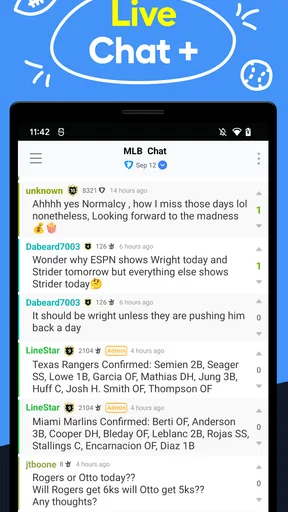
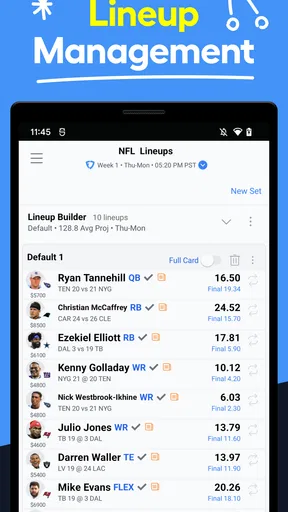
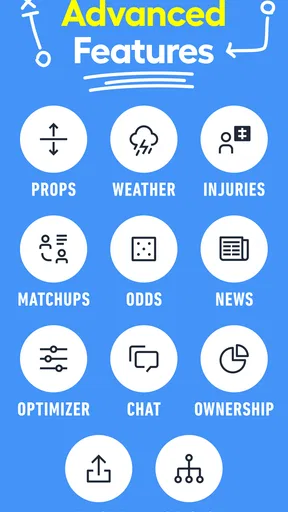
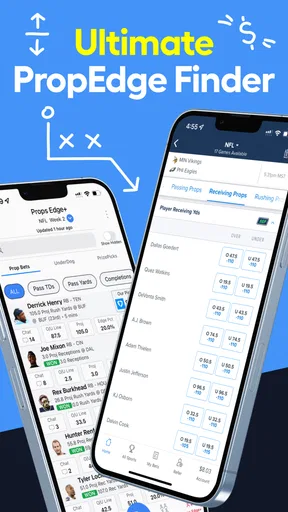
Our Review of LineStar for FD
 Analysis by Appyee
I found LineStar for FD most useful when I treated it as a decision-making companion rather than a magic button for daily fantasy sports. The app is built around lineup help, player projections, and strategy, so its value appears before I enter a contest: it gives me a way to organize research, compare options, and turn a limited amount of preparation time into a more deliberate lineup-building routine. That makes it especially interesting for players who enjoy the analytical side of fantasy sports but do not want to manage every calculation from scratch.
At the same time, I would not recommend it blindly to everyone. It is a sports app from BetFully, Inc., aimed at people who already understand the basic idea of daily fantasy contests. A beginner can learn from it, but the app is easier to appreciate when terms such as projections, salary balance, roster construction, and contest strategy are already familiar. My overall impression is that LineStar for FD works best as a focused research tool: helpful when I want structure, less helpful when I am looking for a broad sports-news experience or a completely automatic answer.
How LineStar for FD handles information and everyday access
I find the access question especially important here because LineStar for FD is meant to support decisions, not just provide a quick score check. I’d approach it as a focused research session, giving myself enough time to read and compare rather than trying to use it in a rush. That makes it easier to judge whether its information fits my routine and whether the next step is a deeper look at how I use it day to day.
Readability and navigation in a research-heavy app
The most important accessibility question here is not whether the app has a flashy interface; it is whether I can understand the information quickly while making lineup decisions. Sports fantasy tools can become tiring when they place too many numbers, labels, and player choices on one screen. LineStar’s purpose naturally creates that risk, because projections and lineup strategy only help when they are presented in a way that supports comparison rather than confusion.
In my experience, the app makes the most sense when I approach it in a fixed order. I start by identifying the slate or contest context, then look at the available player information, and only after that think about lineup construction. This simple workflow matters for readability because it prevents me from jumping between isolated figures. I find that users with attention difficulties may benefit from making their own short checklist before opening the app: review the slate, inspect projections, compare alternatives, and make the final decision outside the pressure of the contest deadline.
The strongest accessibility feature is the app’s focused purpose. It is not trying to be a complete social network, live-score center, or general sports portal. That narrower role can reduce distractions for someone who wants to concentrate on fantasy decisions. However, focused does not automatically mean effortless. A person unfamiliar with daily fantasy vocabulary may still need time to understand why a projection matters, how strategy suggestions fit a particular contest, and where personal judgment should replace an app recommendation.
I also think the interface is better suited to deliberate sessions than casual glances. If I have several minutes to sit down and compare options, the information has a practical role. If I am checking my phone in a noisy room, walking between tasks, or trying to make a last-second change, dense fantasy information becomes harder to process. That distinction is important for readers who depend on quick scanning or who experience fatigue from small, information-heavy screens.
Who can get value without being an expert?
LineStar for FD can serve an intermediate player who wants a repeatable process. Someone who usually picks familiar athletes may use projections as a prompt to examine less obvious choices. Someone who already builds lineups manually may use the app to shorten the research stage. In both cases, the benefit is not that the app removes uncertainty; it gives the uncertainty a more organized place in the decision.
For a first-time fantasy player, I would use it slowly rather than following every suggestion immediately. I would first learn the meaning of each major piece of information, then compare the app’s view with my own reasoning. This approach is more accessible for people who process new concepts gradually, and it also protects against a common mistake: assuming that a projection is a guarantee. The app can support judgment, but it cannot turn an unpredictable sporting event into a certain result.
The audience size suggests that it has found a substantial group of interested users, with over fifty thousand installs and an average rating of four and a half from around two thousand ratings. Those figures indicate that the app is not an obscure experiment, but they should not replace personal testing. A high average can reflect strong usefulness for experienced fantasy players while still leaving a beginner frustrated by the learning curve.
Motor and sensory considerations
Motor accessibility is especially relevant for a fantasy app because lineup decisions may involve repeated tapping, scrolling, and comparing players under time pressure. People with limited dexterity, tremors, or hand fatigue may find rapid last-minute editing uncomfortable. My practical advice is to prepare earlier, when there is time to pause between actions, rather than treating the app as a tool for frantic contest-deadline changes.
A larger-screen device may also be more comfortable than a small phone for users who need more room to read and select items accurately. That is not a claim about a special tablet layout; it is simply a sensible way to reduce cramped interaction with a data-oriented sports tool. I would also avoid building a lineup while distracted, because an accidental tap or overlooked player detail can matter more when the screen is crowded.
For users with visual sensitivities, the key issue is information density. Projections and strategy material are inherently numerical, so the experience may be demanding for someone who needs very large text, strong separation between elements, or minimal visual clutter. I would test the app with the device’s own display and text settings before committing to a regular workflow. If the content becomes difficult to distinguish even after adjusting the phone, a simpler alternative may be a better fit.
People who are color-blind should be cautious about relying on color alone when interpreting any visual distinction in a sports interface. I would confirm the meaning of labels and numbers in text rather than assuming that a highlight or shade carries the entire message. Similarly, users who are sensitive to motion or rapid visual changes may prefer a calm, stationary review session instead of checking information while other phone activity competes for attention.
Audio accessibility is a different consideration. LineStar for FD is primarily a visual research experience, so a reader who depends heavily on spoken guidance may find it less convenient than an app designed around voice interaction. Screen-reading compatibility can vary with the device and operating system, and I would not assume that every label or control will be equally clear when read aloud. Anyone who needs that support should test the main tasks—opening the relevant information, comparing players, and completing a lineup workflow—before relying on it for time-sensitive contests.
Situational access: when the app fits naturally
The most realistic everyday use case for me is a short planning session before a contest. I might have a break after work, open the app, review the available information, and make notes about which players deserve deeper attention. Instead of repeatedly switching between unrelated sources, I can use LineStar for FD as the central place for the projection and strategy part of that process. I still make the final call, but the session feels less scattered.
That workflow can help people whose schedules make long research sessions unrealistic. A parent with a narrow evening window, a commuter preparing before leaving home, or a user who becomes overwhelmed by too many browser tabs may appreciate having a more focused starting point. The trade-off is that a short session only works if the user already knows what they are looking for. The app can organize research, but it does not remove the need to understand the contest or verify the choices.
It is less suitable in situations where concentration is already compromised. I would not use it while driving, during a conversation that requires attention, or in a loud environment where I cannot read carefully. This sounds obvious, but fantasy decisions often happen on a phone precisely because users are multitasking. A tool that depends on comparing several pieces of information deserves the same attention I would give any financial or competitive decision.
Connection quality and device performance can also affect situational access, even without making assumptions about the app’s technical design. If I am preparing close to a deadline, I want enough time to handle interruptions, reloads, or a change in my plan. The safest routine is to do the main research early and leave only a small final check for later. That benefits users with slower reading speed, limited dexterity, or anxiety around time pressure.
Where LineStar for FD is stronger than usual alternatives
Compared with building a lineup from general sports websites, social media posts, and personal spreadsheets, LineStar for FD offers a more direct connection between projections and fantasy strategy. General sports coverage may provide richer news and commentary, but it often leaves the reader to translate that information into lineup decisions. A spreadsheet offers control and customization, yet it requires more setup and maintenance. LineStar sits between those options: more focused than broad sports media and less demanding than creating an entire system yourself.
That middle position is its clearest strength. I can use it when I want guidance without surrendering the final decision. This is particularly useful for players who know the sport but struggle with the repetitive work of sorting possibilities. It also gives a more disciplined player a second opinion, which can expose a habit of choosing recognizable names instead of evaluating the whole slate.
There are situations where another option is better. A serious analyst who wants complete control over custom formulas may prefer a spreadsheet or a specialized data setup. A casual fan who primarily wants scores, news, and team updates will probably find a general sports app more natural. Someone who wants a fully automated experience may also be disappointed, because the useful part of LineStar is the interaction between its information and the user’s own judgment.
Remaining barriers, costs, and responsible use
LineStar for FD is free to download, which makes it relatively easy to try before deciding whether it belongs in a regular routine. It includes in-app purchases ranging from around ten dollars to around two hundred forty dollars per item, so I would pay close attention to which parts of the experience require payment before making any commitment. The free entry point is helpful, but it should not be confused with an entirely cost-free long-term workflow.
This pricing structure can create an accessibility barrier for users with limited budgets. A person may be able to explore the app but still feel pressure to pay for more advanced utility, especially if they believe paid access is necessary to compete. My advice is to set a strict spending limit before using any optional purchase and judge the app by whether it improves your process, not by whether it promises better outcomes. No projection tool can guarantee a winning lineup.
The Teen content rating also matters for households. I would not treat that label as a substitute for parental judgment, especially because daily fantasy sports involve competition, money decisions, and the possibility of repeated spending. Younger users may understand the sports side while underestimating the financial side. Adults should explain that free access and optional purchases can lead to very different experiences, and that a fantasy result is never a dependable way to make money.
Another barrier is cognitive load. Even a well-focused fantasy tool can encourage over-analysis. I have found that setting a stopping point is useful: review the relevant information, make a reasoned lineup, and stop reopening the same choices without new information. This is a non-obvious advantage of using the app with a written routine. It limits decision fatigue and makes it easier to tell whether the app is genuinely helping or simply extending the time spent second-guessing.
The app’s current version is 3.7.0 and it requires Android 6.0 or later. That makes device compatibility a practical checkpoint for anyone using an older phone or a managed device. The app was released on October 22, 2014, so it has had a long presence compared with many short-lived fantasy tools. I still recommend checking how it behaves on your own device, particularly if you depend on older hardware, larger text, or assistive settings.
My inclusive verdict
After using LineStar for FD as a focused fantasy research aid, I see its best audience clearly: players who want projections and strategy support, enjoy making their own decisions, and can give the information enough attention to read it properly. It is also a reasonable choice for someone moving away from scattered web research and toward a more repeatable lineup process. The app’s narrow sports purpose is an advantage when focus matters.
I would be more cautious recommending it to a complete beginner, a user who needs highly simplified navigation, or anyone who expects spoken guidance and effortless automation. The information-heavy nature of daily fantasy sports creates barriers that a focused app cannot completely remove. Users with motor, visual, cognitive, or sensory needs should test their most important workflow early, ideally before a contest deadline, and use device accessibility settings where they improve comfort.
My practical recommendation is to start with a small, low-pressure routine: open the app with time to spare, identify the information you understand, compare it with your own reasoning, and avoid optional spending until the free experience has proved useful. If that process feels clearer than using general sports coverage or a personal spreadsheet, LineStar for FD may earn a place in your preparation. If the screen feels crowded or the strategy layer adds more confusion than structure, choosing a simpler alternative is not a failure—it is the more accessible decision.
For me, the app is worthwhile because it occupies a useful middle ground. It does not replace knowledge of the sport, contest rules, or responsible budgeting, but it can make the research stage more organized. I would recommend it to a thoughtful daily fantasy player who wants a focused second opinion, while reminding that player to protect their time, attention, and spending. Its real strength is not promising certainty; it is helping the right user make a more deliberate choice.
Verdict
Strengths of LineStar for FD
- Quick access to LineStar’s key features from a focused interface.
- Useful for users who prefer a dedicated FD-related companion app.
- Lightweight design should work well on many Android devices.
- Simple navigation makes the main tools easy to find.
- Can save time compared with checking related information manually.
Limitations of LineStar for FD
- The app’s usefulness may depend heavily on FD service availability.
- Some features may require an account or additional setup before use.
- Limited appeal for users who do not regularly use FD-related services.
- Performance and updates may vary between Android device models.
- Users should review permissions and privacy details before signing in.
Other Releases by BetFully, Inc.
View All
TrackWiz : Horse Racing Picks
Sports4.5

LineStar DFS & Props Optimizer
Sports4.6
Similar Picks in This Category
View All
BeSoccer: Soccer Live Score
BeSoccer apps4.3

Cricbuzz - Live Cricket Scores
Cricbuzz.com3.7

NFL
NFL Enterprises LLC2.4

Da Fit
MO YOUNG LIMITED3.6

ESPN
Disney4.5

LiveScore: Live Sports Scores
LiveScore Limited4.5
Frequently Asked Questions
What is LineStar for FD, and who is it designed for?
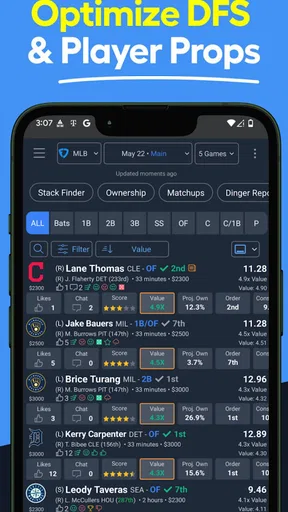
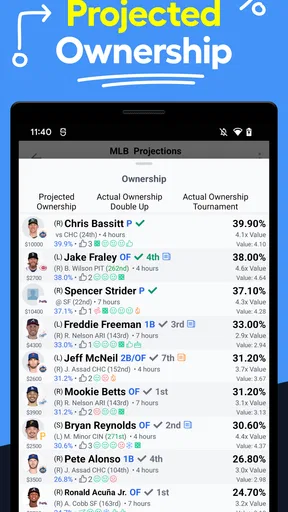
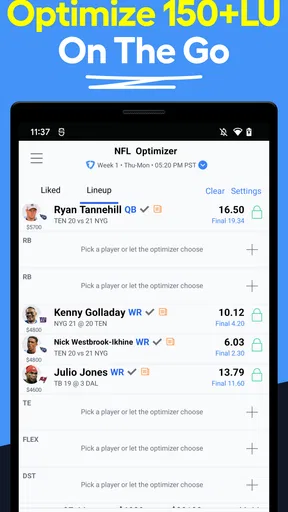
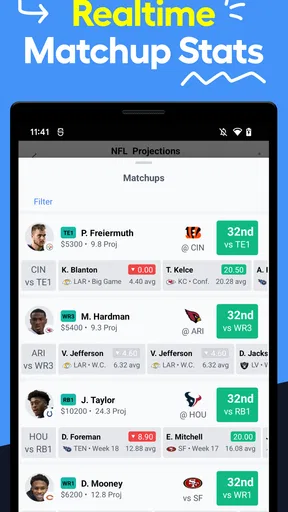
LineStar for FD is a fantasy sports companion app focused on helping users research and manage their FanDuel lineups. It is designed for players who want more than basic player news, offering tools such as projections, matchup information, lineup-building assistance, and strategy-oriented insights. It is best suited to users who already understand fantasy sports terminology, since some features may feel overwhelming for complete beginners.
Does LineStar for FD guarantee winning lineups or profits?
No. LineStar for FD can support your research by organizing statistics, projections, trends, and lineup suggestions, but it cannot guarantee a winning result. Fantasy contests depend on injuries, late lineup changes, player performance, contest selection, and random variation. During testing, the app was most useful as a decision-making aid rather than an automatic solution. Users should compare its recommendations with their own research and play responsibly.
Is LineStar for FD free to download and use?
The availability of free and premium features may depend on the current version of the app, platform, and subscription options offered by the developer. Basic access may allow users to explore selected information, while advanced projections, lineup tools, or additional analysis can require payment. Before downloading or subscribing, check the official store listing for the latest pricing, trial terms, renewal conditions, and any in-app purchase details.
Does LineStar for FD connect directly to my FanDuel account?
LineStar for FD is primarily intended to help users analyze information and prepare fantasy lineups, but the exact level of FanDuel integration can vary by version and device. Users should not assume that lineups are automatically entered or that account credentials are required. Review the app’s permissions and official description carefully, and avoid sharing login information unless the developer clearly explains why it is needed and how it is protected.
What should I check before using LineStar for FD for a real-money contest?
Before relying on LineStar for FD in a real-money contest, verify that the sport, slate, contest type, salary data, projections, and player statuses are current. Late injury news and starting-lineup announcements can quickly change the value of a recommendation. It is also important to understand local fantasy-sports regulations, review the app’s privacy and subscription policies, and set a firm spending limit instead of treating the app as a source of guaranteed income.
